

 Aktualisieren
Machinery Instruction Manual
Wollen Sie auch einen Job wie diesen gewinnen?
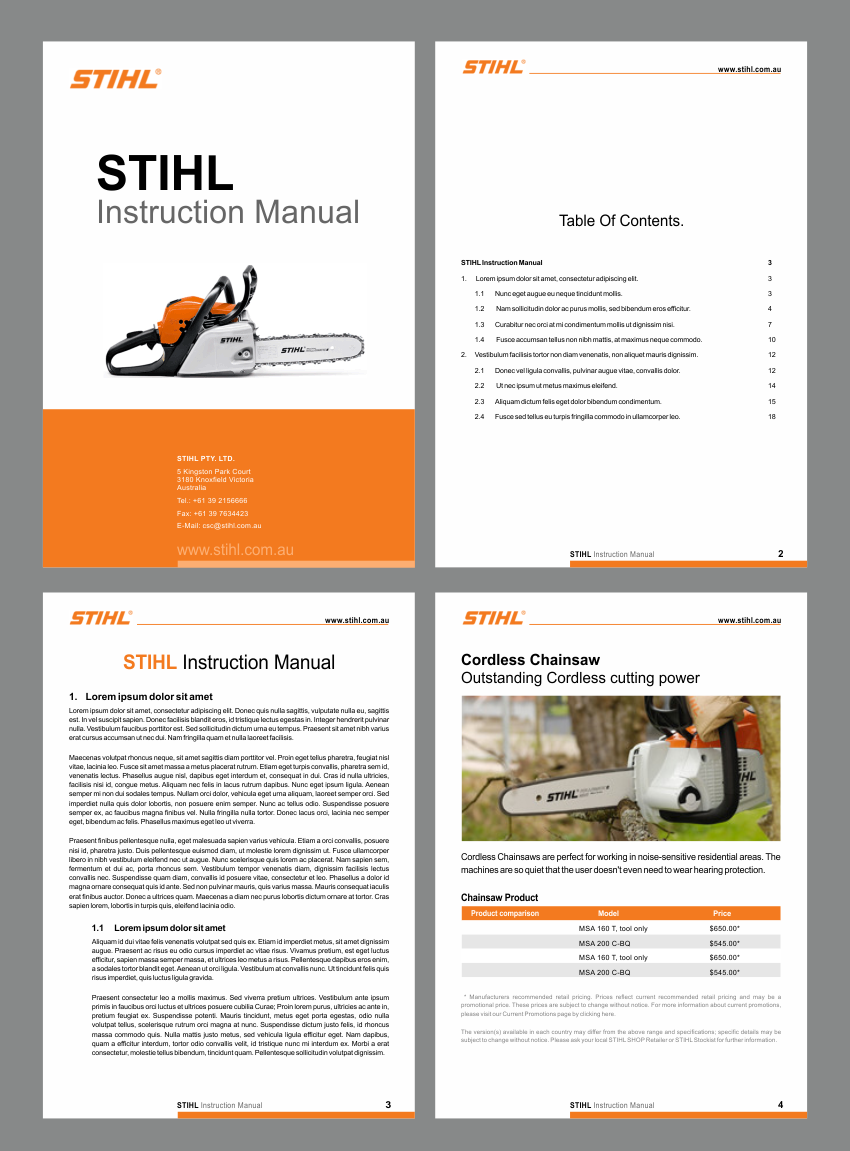
Dieser Kunde bekam 10 Print-Designs von 3 Designern. Dabei wurde dieses Print-Design Design von nng als Gewinner ausgewählt.
Kostenlos anmelden Design Jobs finden
- Garantiert
-
 A$320
A$320
-
 10 Designs
-
 3 Designer
Print-Design Kurzbeschreibung
We need an instruction manual design that will be used as a template for all user manuals for our range of consumer machinery.
Our product range includes Chainsaws and Jackhammers for example.
======================
Essential:
======================
A staff member with only *Basic* Microsoft Word skills must be able to paste the required content from external sources in to the template to produce a professional manual.
The document should use the minimum amount of automated features.
Our staff need to produce manuals without hours of struggling with MS Word's "automated" features such as auto-bullets, auto-numbering, auto-indentation etc.
======================
The Design Should:
======================
- Be a Microsoft Word document, produced with Office 2013 or Office 365.
- Be suitable for production of printed manuals and online PDF manuals.
- Include the following sections:
1) Cover Page.
2) Approx 120 words of "warning text" (may be on cover or separate page).
3) Table Of Contents.
4) Body.
5) Specifications section featuring 3-10 different versions of the machine, each including a photo and listing approx 13 specifications.
- Include page numbers.
- Be in "Single Column Format" for easy editing by staff with minimal MS Word experience. "Special Pages", such as the cover and table of contents may be multi-column if necessary.
- Be an A4 document.
- Be readable when printed in Black and White, even if elements of the design include colour.
- Feature a warning icon/graphic that is easy to paste/insert next to important text.
- Feature the following levels of text, to be entered into MS Word's "Styles" function:
1) Main Headings.
2) Sub Headings.
3) Body Text.
- Feature headings that are "text", so they can be edited within MS Word without resorting to graphic editing software etc.
- Not rely on MS Word's painful "automated" features like auto-bullets, auto-numbering, auto-indentation etc (with the exception of page numbers, headings and auto-generated table of contents)
======================
How Our Staff Will Use It:
======================
Staff will have a basic understanding of MS Word.
Our staff will paste text, photographs, diagrams and vector drawings into the template.
======================
Extra Credit Given For:
======================
- Automatically generated table of contents, based on the headings within the document.
======================
Finished Template:
======================
- Should be in MS Word (MS Office 2013 or MS Office 365) format.
- Should include generic text / photos / diagrams to show what a manual looks like when generated from your template.

Aktualisierungen
Project Deadline Extended
Reason: Following feedback, payment has been "committed".
Deadline extended to allow designers adequate time for production.
Added Tuesday, March 3, 2015
Industrie/Einheitstyp
Software
Sehen und fühlen
Jeder Schieber zeichnet eine der Charakteristiken der Marke des Kunden aus sowie den Stil, den euer Logo widerspiegeln sollte.